
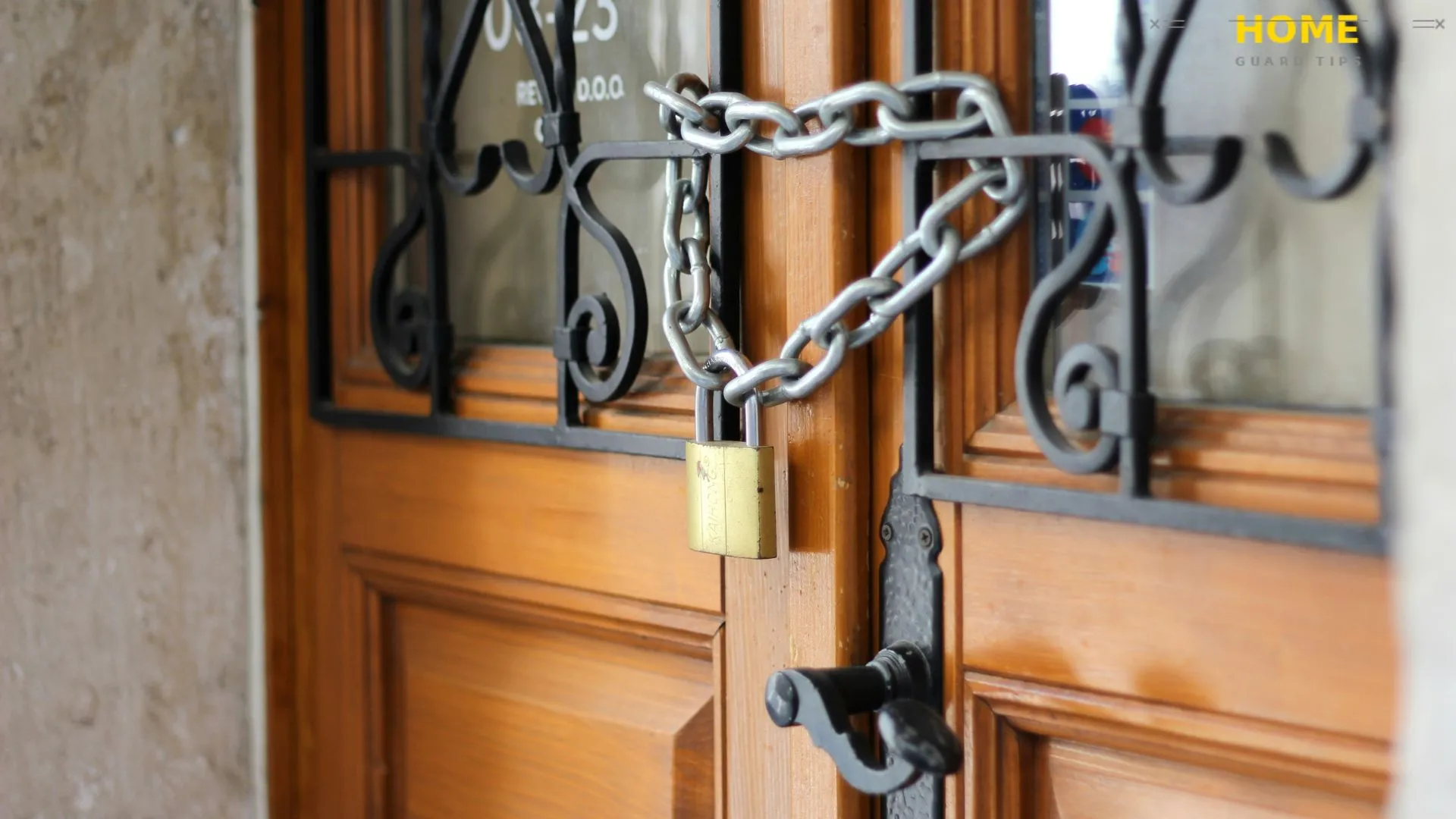
Moving into a new home is one of the most exciting things you will ever do. But here is what nobody warns you about: the moment you get those keys, your home may not be as secure as you think. Previous owners, contractors, real estate agents, and who knows who else may still have copies of your keys. And that is just the beginning.
This guide gives you a practical, room-by-room, step-by-step plan to secure your new home from day one. Whether you are working with a tight budget or ready to invest in a full smart home security system, you will find exactly what you need here.
Understanding Your Home’s Security Vulnerabilities
Before you install a single camera or buy a single lock, it helps to understand how your home looks from the outside. Specifically, how it looks to someone with bad intentions. Once you understand what burglars actually look for, every security decision you make becomes more focused and effective.
How Burglars Choose Their Targets
Here is what most people do not realize: burglars rarely choose a home randomly. According to the FBI, a burglary occurs approximately every 25.7 seconds in the United States. Most of those break-ins happen at homes that gave the burglar an easy opportunity.
Burglars typically look for three things: easy access, low visibility, and signs that nobody is home. Overgrown bushes near entry points, no outdoor lighting, boxes from expensive electronics left at the curb, and an overflowing mailbox are all silent invitations. They want a quick job with minimal risk of being seen or caught.
Understanding this logic helps you think like a burglar for a few minutes, which is one of the most useful exercises a new homeowner can do. Walk around your property from the outside and ask yourself honestly: what would a thief notice first?
Most Common Entry Points in a New Home
The front door gets all the attention, but it is actually not the most common entry point. Studies from the Bureau of Justice Statistics (BJS) show that a significant percentage of break-ins happen through first-floor windows, back doors, and garage entrances. These are the areas that new homeowners tend to overlook.
Sliding glass doors and French doors deserve special attention. They often come with weaker factory locks and can be lifted off their tracks if not properly secured. Windows on the ground floor, especially those hidden by landscaping, are also high-risk areas.
The garage is another major vulnerability that catches people off guard. An attached garage that is left unlocked gives a burglar access to your entire home through an interior door that is rarely reinforced.
Why New Homeowners Are Especially at Risk
New homeowners face a specific security challenge that existing residents do not. You do not yet know your neighborhood, you do not know your neighbors, and you have no idea how many key copies the previous owners handed out over the years. Key duplication risk is real and often underestimated.
There is also the issue of the property’s history. If the home was previously rented, contractors, housekeepers, or maintenance workers may still have access. Even if the previous owners were perfectly trustworthy, they may not have tracked every spare key they gave out. This is exactly why changing your locks immediately after moving in is the single most important thing you can do.
First Things to Do When You Move In
The first 48 hours in your new home set the tone for your security. There are a few tasks that cannot wait until you are fully settled. These are not optional extras. They are the foundation everything else is built on.
Change All Locks Immediately After Moving In
Do not wait. Before you unpack a single box, change every exterior lock in your home. This includes the front door, back door, side door, garage entry door, and any outbuildings. Previous owners should give you all their key copies, but there is simply no way to verify that they actually did.
New locks are relatively affordable. A quality deadbolt from a brand like Schlage or Kwikset typically costs between $30 and $80, and most homeowners can install one with basic tools in under 30 minutes. If you are not comfortable doing it yourself, a locksmith can usually replace all your exterior locks in a single visit for a reasonable service fee.
This is one security upgrade that costs very little and provides immediate, significant protection. It also gives you genuine peace of mind on your very first night in your new home.
Rekey vs. Replace: Which One Do You Actually Need?
Here is a question that trips up a lot of new homeowners: should you rekey your existing locks or replace them entirely? The honest answer is that it depends on the condition of your current hardware.
Rekeying means a locksmith changes the internal pins of your existing lock so that old keys no longer work. It costs less than full replacement, usually between $15 and $50 per lock. If your existing hardware is in good condition and meets the ANSI/BHMA grading standard for residential security, rekeying is perfectly sufficient.
However, if your locks are old, worn, or low-grade, this is a good opportunity to upgrade to a higher-quality deadbolt or even a smart lock. Replacing locks also lets you standardize your hardware, which means one key opens every exterior door. That is a small convenience that adds up quickly.
Locate and Secure Your Electrical Panel, Water Shutoff, and Fuse Box
This one does not get talked about enough. Knowing where your electrical panel, water shutoff, and fuse box are located is genuinely important for home safety. In an emergency, whether it is a fire, a flood, or an electrical issue, you need to find these instantly without hunting through every closet in a panic.
Walk through your home on your first day and locate all three. Label them clearly if they are not already. Make sure the doors or covers to these areas are accessible and not blocked by boxes or furniture.
Beyond emergency access, also check whether these utility areas have proper locks or covers. An unsecured electrical panel in an accessible area, like an unlocked garage, can be a safety and liability issue worth addressing early.
Securing All Entry Points
Once you have changed your locks, the next step is to think about every possible entry point in your home. A good rule of thumb is to assume a burglar will test every door and window before trying anything more dramatic. Make sure none of them offer an easy way in.
Front Door: Locks, Deadbolts, and Reinforcements
Your front door needs more than just a good lock. The lock is only as strong as the door frame holding it. In many break-ins, the lock itself does not fail. The door frame splinters because the strike plate is attached with short screws that barely reach the wood stud behind it.
Upgrade your strike plate with a heavy-duty version and use 3-inch screws instead of the standard half-inch ones. This small upgrade dramatically increases kick-in resistance. If you want to go further, a door frame reinforcement kit adds a steel sleeve around the entire frame for even stronger protection.
A wide-angle door viewer, often called a peephole, is another worthwhile addition if your door does not already have one. You need to be able to see who is at your door before you open it, especially when you are new to a neighborhood and do not yet recognize your neighbors’ faces.
Back Doors, Side Doors, and Sliding Glass Doors
Back and side doors are often the weakest entry points in a home because they are less visible from the street and less reinforced than the front door. Make sure every exterior door has a quality deadbolt installed, not just a handle lock.
Sliding glass doors require a different approach. They can often be lifted out of their track, bypassing the lock entirely. Place a cut-down wooden dowel or a steel security bar in the bottom track to prevent this. You can also install a sliding door brace or a secondary foot lock for added protection.
For French doors, the active door should have deadbolts at both the top and bottom, flush into the floor and header. The passive door should have top and bottom slide bolts properly secured. Without this, French doors are far weaker than they look.
Windows: Locks, Sensors, and Break-Resistant Film
Most factory window locks are surprisingly weak. They are designed to keep windows closed, not to resist a determined intruder. For ground-floor windows, consider adding secondary window locks or sash locks that are much harder to defeat from the outside.
Window sensors are an affordable and effective addition to any home security setup. They detect when a window is opened or broken and trigger your alarm system instantly. Entry sensors typically cost between $10 and $30 per window and are easy to install yourself.
Security film, sometimes called window film, is an often-overlooked upgrade. It does not stop a window from breaking, but it holds the glass together after impact, making entry much slower and noisier. For ground-floor windows and glass near door locks, it is a worthwhile layer of protection.
Garage Door Security: What Most New Homeowners Overlook
The garage is one of the most overlooked entry points in a new home. An unlocked garage door is essentially an unlocked front door in most cases. Always keep your garage closed and locked, even when you are home.
Smart garage door openers add a meaningful layer of control. Brands like Chamberlain and LiftMaster offer smart openers that let you check and control your garage door remotely from your phone. You get an alert if the door is opened unexpectedly, which is genuinely reassuring when you are away from home.
The interior door from your garage into your living space deserves the same treatment as any other exterior door. It should have a solid core, a quality deadbolt, and ideally an automatic closer so it never gets left open accidentally. Most people treat this door as an afterthought, and it is one of the most common ways a burglar moves from a garage into a home.
Choosing and Installing a Home Security System
A security system is not a luxury anymore. According to a 2025 SafeHome.org annual report, around half of new homeowners are actively considering investing in home security products, with alarm systems expected to grow significantly in the coming year. The question is not whether you need one. The question is which type makes the most sense for you.
Monitored vs. Unmonitored Systems: What’s the Difference?
A monitored system connects to a central monitoring center, usually staffed 24 hours a day. When an alarm is triggered, the monitoring center contacts you and, if needed, dispatches first responders. Companies like ADT and Vivint are well-known providers of professionally monitored systems. Monthly monitoring fees typically range from $20 to $60 depending on the plan.
An unmonitored system still sounds an alarm and can send alerts to your phone, but nobody responds if you do not. These are often called self-monitored systems. SimpliSafe, for example, offers both monitored and self-monitored options at different price points. Self-monitoring works well if you are always reachable, but monitored systems provide a true backup when you are unavailable.
Honestly, for most first-time homeowners, a basic monitored system provides the best balance of cost and genuine protection. The peace of mind knowing someone is watching when you cannot is worth the monthly fee for many people.
Best Home Security Systems for First-Time Homeowners
The best system for a first-time homeowner is one that is easy to install, easy to use, and flexible enough to grow with your needs. Ring Alarm and SimpliSafe consistently rank highly for DIY-friendly setup and affordable monitoring. Both use wireless components, so there is no need to run wires through walls.
For those who prefer professional installation, Guardian Protection and ADT offer full-service packages that include expert setup, 24/7 monitoring, and direct integration with first responders. The tradeoff is a higher upfront cost and typically a monitoring contract.
If you want a more integrated smart home approach, Google Nest offers security hardware that works seamlessly with other Nest devices. The benefit is a unified ecosystem where cameras, locks, sensors, and thermostats all communicate through one app.
How to Install a Basic DIY Security System
Most DIY security systems follow a straightforward installation process. You place door and window sensors on every entry point, position a motion sensor in main living areas, connect the base station to your Wi-Fi network, and download the app. The entire process typically takes a few hours for a standard-sized home.
One thing worth doing before you place anything is drawing a simple floor plan and marking your entry points. This helps you figure out how many sensors you need and where to position motion detectors for maximum coverage without blind spots.
Make sure you change the default passwords on every device and connect them to a secure Wi-Fi network. Cybersecurity for smart home devices is a real concern. If someone can access your Wi-Fi router, they can potentially interfere with your security system.
Can You Monitor Your Security System from Your Phone?
Yes, virtually every modern security system offers mobile app monitoring. This means you can arm and disarm your system, view live camera feeds, receive motion alerts, and check whether doors and windows are open or closed, all from your smartphone.
Geofencing alerts are a useful feature offered by some systems. Your system automatically arms itself when you leave a defined area and disarms when you return. It is a small automation that removes the frustration of forgetting to arm your system.
Two-factor authentication on your security app is strongly recommended. It adds a second verification step that makes it much harder for anyone to access your system remotely, even if they know your password.
Outdoor Security Measures
Outdoor security is your first line of defense. It creates deterrence before anyone even approaches your home. The goal is to make your property look occupied, well-monitored, and not worth the risk.
Exterior Lighting: Placement and Best Bulb Types
Lighting is one of the most cost-effective security upgrades you can make. Motion-activated lights near your driveway, walkways, side entrances, and back yard significantly reduce the dark corners that burglars count on. When a light suddenly illuminates someone approaching your home, it draws attention and discourages further approach.
LED motion-activated fixtures are the practical choice for most homeowners. They use very little energy, last for years, and are bright enough to genuinely deter someone who was expecting darkness. Look for fixtures rated for outdoor use with vandal-resistant housings if you are placing them in accessible areas.
For areas without motion activation, smart bulbs connected to a timer or your home automation system can simulate occupancy. A light that turns on in the living room at dusk and off at 11pm makes your home look lived in, even when you are not there.
Security Cameras and Video Doorbells
Security cameras have become one of the most popular home security investments, and it is easy to see why. Visible cameras deter a large percentage of opportunistic burglars before any crime is attempted. Cameras from brands like Arlo and Ring are easy to install, weather-resistant, and integrate with most smart home platforms.
A video doorbell is arguably the single most impactful security upgrade for a new homeowner. According to SafeHome.org’s 2025 data, video doorbell adoption among new homeowners rose 12 percent year over year, the largest increase of any security device category. You can see, hear, and speak to anyone at your front door from anywhere in the world.
Position cameras to cover your front door, driveway, back entrance, and any side access points. Make sure there are no large blind spots between camera fields of view. Cameras are both a deterrent and a documentation tool, and both functions matter.
Landscaping Tips That Naturally Deter Intruders
This is one area where many new homeowners do not connect the dots right away. Overgrown bushes near windows and entryways create natural hiding spots for intruders. Trimming landscaping is not just about curb appeal. It is a security decision.
Keep shrubs and hedges near windows and doors trimmed low. As a general rule, shrubs near entry points should not be taller than three feet. Tall, dense plantings close to your home give an intruder a place to work unseen. Removing that cover removes a meaningful advantage.
Consider thorny plants like roses or hawthorn under first-floor windows. They act as a natural barrier that is both effective and visually appealing. This approach aligns with principles from Crime Prevention Through Environmental Design (CPTED), a framework widely recognized by law enforcement for using physical environment to reduce crime opportunity.
Gates, Fences, and Driveway Security
A security fence or gate does not stop a determined burglar, but it does slow them down and remove the casual opportunity. A locked gate at the side of your home that controls access to your backyard adds a meaningful obstacle, especially combined with other security measures.
Driveway sensors are worth considering if you have a long driveway or limited sight lines from your home. They alert you when a vehicle or person enters your driveway, giving you earlier warning than a camera or doorbell sensor at the front door. This is particularly useful in rural or semi-rural properties.
For driveways where vehicles are parked outside, securing your car is part of your overall home security. Always lock your car, do not leave garage door openers visible on the dashboard, and do not leave valuable items in plain sight. A car break-in is often a stepping stone to a home break-in.
Smart Home Technology for Home Security
Smart home technology has genuinely changed what is possible for homeowners who want strong security without a full professional installation. In our experience, the biggest misconception new homeowners have is thinking smart security is complicated or expensive to set up. In most cases, it is neither.
Smart Locks: How They Work and Are They Worth It?
Smart locks replace your traditional keyed lock with one that can be controlled via your smartphone, a keypad, a fingerprint, or even your voice. Brands like August Smart Lock, Schlage Encode, and Kwikset Halo are popular choices that work with most standard door preparations.
The real advantage is not just keyless entry. It is access control. You can issue digital keys to family members, give temporary codes to contractors or house cleaners, and instantly revoke access without ever changing physical hardware. You can also see a log of every time your door was locked or unlocked.
Now you might be wondering whether smart locks are actually secure. The answer is yes, when properly set up. Use a strong, unique password for your lock app, enable two-factor authentication, and make sure your home Wi-Fi network is secured with WPA3 encryption. A smart lock that is connected to a poorly secured router is a vulnerability. A properly set up system is not.
Smart Doorbells and Motion-Activated Cameras
Smart doorbells do more than show you who is at the door. They record video, detect motion before someone even rings the bell, and allow you to speak with anyone at your door through your phone. Ring Video Doorbell and Google Nest Doorbell are two of the most widely used products in this category.
Motion-activated cameras add another layer by covering areas beyond your front door. Arlo’s outdoor cameras are popular for their weather resistance and wire-free installation. You can position them to cover your driveway, backyard, or side access points and receive phone alerts the moment motion is detected.
One thing worth noting: camera placement affects what your footage is actually useful for. Position cameras at a height where they capture facial features clearly, usually between 7 and 10 feet from the ground. Footage from cameras positioned too high often shows only the tops of heads, which is far less useful for identification.
Home Automation That Mimics Occupancy When You’re Away
Here is what most people do not realize about burglary patterns: most break-ins happen during the day, between 10 a.m. and 3 p.m., when people are typically at work. Creating the impression that someone is home during those hours is one of the most effective deterrents available.
Smart lighting systems like Philips Hue or LIFX can be programmed to turn lights on and off in different rooms throughout the day, following a randomized pattern that looks natural rather than robotic. Combine this with a smart plug on a radio or television and your home sends strong signals of occupancy from the street.
Some homeowners take this further with smart curtain motors that open and close blinds at different times of the day. It sounds sophisticated, but these products have become affordable and genuinely easy to use. The goal is simply to make your home look unpredictably occupied.
How to Integrate Smart Devices Into One Security Ecosystem
Having multiple smart devices from different brands is common, but getting them to work together smoothly takes a little planning. Most modern smart home security devices are compatible with Amazon Alexa, Google Home, or Apple HomeKit. Choosing devices that share a common platform makes integration much simpler.
For a practical starting point, use one app to control your smart lock, video doorbell, and interior lighting. This gives you a single dashboard showing your home’s status at any moment. As you add more devices, keep them on the same ecosystem to avoid the frustration of juggling multiple apps.
Router security is an often-overlooked foundation of a smart home setup. Make sure you change the default password on your router, keep its firmware updated, and use a separate guest network for smart home devices. Isolating your security devices on their own network segment adds a meaningful layer of protection.
Indoor Security Essentials
Outdoor measures keep threats away from your home. Indoor security tools detect what happens if something gets past your outer defenses. Both layers matter, and a complete home security plan includes both.
Motion Sensors and Glass Break Detectors
Motion sensors placed inside your home add a critical interior layer of detection. If a door or window sensor is bypassed or missed, a motion sensor in a main hallway or living area will still trigger your alarm when movement is detected inside. Position them in areas that any intruder would have to pass through to reach bedrooms or valuables.
Glass break detectors are underused and underrated. They listen for the specific acoustic pattern of breaking glass and trigger your alarm immediately. A single glass break detector can cover an entire room and often costs less than $30. If you have large windows or glass doors, they are genuinely worth the investment.
When positioning indoor sensors, avoid placing motion detectors facing windows. Sunlight changes and movement outside can cause false alarms. Also keep them away from vents and heaters that can affect temperature-based motion sensors.
Fire, Carbon Monoxide, and Flood Detectors
Home security is not only about intruders. Fire, carbon monoxide, and flooding cause billions of dollars in property damage annually, and the personal consequences can be far worse. These detectors are non-negotiable for any new homeowner.
Smoke detectors should be installed on every floor of your home and inside or just outside every bedroom. Carbon monoxide detectors belong near sleeping areas and on each level of the home. Check the batteries in all existing detectors when you move in. Do not assume they are functional just because they are there.
Flood or water leak detectors are worth placing near water heaters, washing machines, dishwashers, and under sinks. A slow leak caught early prevents a small maintenance issue from becoming a major insurance claim. Many smart water sensors can alert your phone the moment they detect moisture.
Home Safe: Protecting Valuables and Documents
A quality home safe is one of those purchases that most new homeowners delay until after a problem occurs. Do not wait. Important documents like your mortgage paperwork, passports, birth certificates, insurance policies, and financial records need a secure, fireproof location.
A fireproof home safe rated for at least one hour of fire protection is the practical minimum. Look for safes that are also waterproof and heavy enough to not be easily carried out, or ones that can be bolted to a floor or wall. Brands like SentrySafe and First Alert offer reliable entry-level options at accessible prices.
Beyond documents, a home safe protects jewelry, backup hard drives, spare cash, and any other irreplaceable items. Home inventory documentation, meaning a list or video record of your valuables with serial numbers, stored in your safe or a secure cloud backup, is extremely helpful if you ever need to file an insurance claim after a burglary.
How to Stay Secure When You’re Away
Going on vacation should feel relaxing, not stressful. With a little preparation before you leave, your home can look and feel occupied even when you are hundreds of miles away. This section covers everything that experienced homeowners do before they leave, and a few things most people forget entirely.
How to Prepare Your Home Before Going on Vacation
Start preparing your home security at least a few days before you leave, not the night before. That gives you time to test that everything is working and make any last-minute adjustments. Arm your security system, double-check that all entry points are locked, and make sure your cameras are online and recording.
Contact your local police department before an extended absence. Many departments offer a free vacation house-check service where officers will periodically drive by and check your property. It is a simple step that takes five minutes and provides a genuine additional layer of oversight.
Arrange for your lawn to be mowed and, in winter, snow to be shoveled while you are away. An overgrown lawn or unshoveled driveway announces clearly that nobody is home. This is the kind of detail that a neighbor watching your home would handle naturally, but it is worth arranging explicitly if you will be gone for more than a week.
Smart Lighting Timers and Automation Schedules
A home where lights never turn on at night is an obvious signal that nobody is home. Smart lighting timers solve this completely and require almost no effort once they are set up. Program lights in your living room, kitchen, and bedroom to turn on and off at different times throughout the evening.
The key is making the schedule look natural. Lights that turn on at exactly 7:00 p.m. every night and off at exactly 10:00 p.m. can look mechanical if someone is paying attention. Vary the timing by 15 to 30 minutes each day to make it less predictable. Some smart lighting apps include a “vacation mode” that does this randomization automatically.
If you have a smart plug, connecting it to a radio or television adds an audio component to the occupied appearance. The combination of sound and light coming from a home is a strong deterrent for anyone casually checking whether a house is empty.
Trusted Neighbor System: Why It Still Works Best
Between you and me, no smart home system replaces a good neighbor. Technology can monitor, alert, and record, but a trusted neighbor who knows your routine can notice things a camera misses: a strange car parked on your street for three days, someone trying your back gate, or a delivery that needs to be brought inside.
Ask a neighbor you trust to pick up any packages left on your porch, remove any flyers tucked in your door, and generally keep an eye out for anything unusual. Give them a way to reach you and make sure they have a number for your local police department in case they see something concerning.
This system works best when it is mutual. Being the neighbor who watches out for others means they are naturally more inclined to watch out for you. Get to know your neighbors before you need them, not after something goes wrong.
Holding Mail and Managing Deliveries While Traveling
Accumulated mail and packages are one of the clearest signals that a homeowner is away. Contact the USPS and request a mail hold through their website before you leave. USPS Mail Hold Service is free and can be requested up to 30 days in advance. Your mail will be stored at the post office and delivered in a bundle on the date you specify.
For packages, most major carriers now offer delivery management apps that let you reschedule deliveries or redirect packages to a secure location. Amazon Hub lockers, available at many grocery stores and convenience stores, are a practical solution for Amazon orders that you cannot time precisely.
If you are expecting a significant delivery while traveling, ask a trusted neighbor to receive it on your behalf. A package sitting on a porch for three days is an invitation to porch pirates, and the problem is widespread enough that addressing it proactively is simply good sense.
Protecting Against Package Theft and Porch Pirates
Package theft has become one of the most common property crimes in residential neighborhoods. A 2024 survey found that nearly one in three Americans reported having a package stolen at least once. For new homeowners who are still receiving deliveries from their move and setting up their home, this is a particularly relevant risk.
Best Package Delivery Solutions for New Homeowners
The most effective solution to porch piracy is not receiving packages on your porch in the first place. A smart lock with a delivery access code lets certain carriers place packages inside a locked entryway or garage without giving them ongoing access to your home. Amazon Key, for example, works with compatible smart locks to enable in-garage delivery.
A lockable package locker installed at your front entrance is another effective option. These steel boxes are bolted to your porch or exterior wall and can hold multiple packages securely. Carriers can drop deliveries inside, and only you can retrieve them. Prices for quality models start around $100 and go up from there.
For high-value deliveries, consider requiring a signature. It adds a step to the delivery process but eliminates the risk of the item sitting unattended. Most carriers allow you to set this preference by default in your account settings.
Video Doorbells and Package Detection Alerts
A video doorbell with package detection alerts you the moment a delivery is made, so you can watch it live and bring it inside before anyone else does. Ring, Google Nest, and Arlo all offer doorbell cameras with intelligent package detection that distinguishes a delivery from general motion.
Some video doorbells now include a built-in package guard feature that triggers a recorded deterrent message if someone approaches and appears to be taking a package. It is not foolproof, but it adds a friction point that deters casual thieves.
Even if you cannot retrieve a package immediately, having video footage of a theft gives you documentation for an insurance claim and, in many cases, clear enough footage to assist local police in identifying the suspect.
What to Do If a Package Is Stolen
Start by checking with your neighbors. Misdeliveries are more common than most people realize, and your package may simply be on the wrong porch. Check your building if you live in a multi-unit property, and check any secure package areas near your entrance.
If the package is genuinely stolen, file a claim with the retailer or carrier first. Most major retailers have straightforward policies for stolen packages and will reship or refund without requiring a police report. For higher-value items, filing a report with your local police department creates documentation that may be needed for an insurance claim.
Review your doorbell or security camera footage and save it before filing a report. Clear footage significantly increases the usefulness of a police report and may help you recover the item or prevent future thefts in your neighborhood.
Social Media and Digital Security Habits
Most people think of home security as physical locks and cameras. But in our experience, some of the most overlooked vulnerabilities are digital. What you share online can give a would-be burglar more useful information than a walk past your home.
What Not to Post on Social Media as a Homeowner
The most important rule is this: never announce on social media that you are leaving home for an extended period. Posting “So excited for our two-week Italy trip!” before you leave is essentially broadcasting that your home will be empty. Save the travel photos for when you return.
Be careful with what your social media profiles reveal about your home, too. Exterior photos that show your exact address, the layout of your property, or expensive items inside your home can all be used by someone planning a break-in. This is not about paranoia. It is about being thoughtful with what you share publicly.
Review your privacy settings on all social platforms and make sure your posts are only visible to people you actually know. A public social media profile is a surprisingly rich source of information for anyone who wants to know your routines, your neighborhood, and when you are likely to be away.
Protecting Your Home Address and Personal Data Online
Your home address is one of the most sensitive pieces of personal data you own as a homeowner. Data broker websites aggregate and sell this information publicly, and it is worth taking steps to remove your information from the most prominent ones. Services like DeleteMe or Privacy Bee offer automated removal for a subscription fee, or you can submit manual opt-out requests to individual data brokers yourself.
Be cautious about where you provide your home address online. Signing up for loyalty programs, entering contests, or filling out warranty registration forms can all add your address to marketing databases that are sold and resold. Use a P.O. box or a forwarding address for anything non-essential.
Dark web personal data exposure is a growing concern. If your email and password appear in a data breach, that information may be linked to your home address in compromised databases. Using a password manager and unique passwords for every account significantly reduces this risk.
How to Shield Sensitive Documents and Financial Records
Physical document security is something new homeowners tend to overlook in favor of digital security, but both matter equally. Your mortgage documents, property deed, tax returns, insurance policies, Social Security cards, and passports should all be stored in a fireproof, waterproof home safe.
For digital documents, encrypted cloud storage adds an important backup. Services like iCloud, Google Drive, and Dropbox all offer encrypted storage, but for truly sensitive documents, consider a service with zero-knowledge encryption where even the provider cannot access your files.
Shred everything before you dispose of it. Bank statements, credit card offers, utility bills, and any documents with your name and address should go through a cross-cut shredder before hitting the recycling bin. Identity theft often starts with something as simple as a discarded bank statement.
Building a Security-Minded Community
Home security does not stop at your property line. The safety of your entire neighborhood affects how safe your home is. In neighborhoods where residents know each other and look out for one another, burglary rates are measurably lower. It is not a myth. It is documented by the National Crime Prevention Council (NCPC).
Meet Your Neighbors: Why It Matters for Home Safety
Getting to know your neighbors is genuinely one of the highest-impact security actions you can take, and it costs nothing. Neighbors who know you will notice when something seems off: an unfamiliar vehicle in your driveway, someone trying your side gate, or a door that has been left open. A camera cannot make that call. A neighbor can.
Introduce yourself within your first few weeks in the neighborhood. Exchange phone numbers with the two or three closest neighbors. Let them know when you will be away for an extended period and offer to keep an eye on their home in return. This reciprocal arrangement is the foundation of a genuinely safe neighborhood.
From what we have seen, new homeowners who invest time in knowing their neighbors feel more secure in their homes even before they install a single camera or smart lock. The sense that people around you are paying attention is its own form of security.
Joining or Starting a Neighborhood Watch Program
Neighborhood watch programs are one of the most effective crime prevention tools available, and they are almost entirely free. Contact your local police department to find out whether an active program exists in your area. Most departments actively support and help coordinate these programs because the results are measurable.
If no program exists in your neighborhood, starting one is more straightforward than most people think. The National Crime Prevention Council offers free resources and templates for organizing a neighborhood watch, including how to structure meetings, what to report, and how to work with local law enforcement.
A neighborhood watch does not require everyone to become amateur detectives. It simply means neighbors agree to be observant, report suspicious activity through proper channels, and look out for each other. That shared awareness, over time, makes a neighborhood a much less attractive target.
Using Community Apps Like Nextdoor for Real-Time Alerts
Apps like Nextdoor have become a genuinely useful tool for neighborhood security. Residents share real-time alerts about suspicious activity, package thefts, and local incidents. When a porch pirate is active in a neighborhood, word often spreads through Nextdoor within hours, alerting residents before more packages are taken.
The practical value is in the speed and specificity of the information. A neighbor can post a video doorbell screenshot of a suspicious person and ask if anyone recognizes them. Within hours, other neighbors can provide context, confirm whether they saw the same person, or share additional footage.
Use these platforms as one layer of your community awareness, not the only layer. Real relationships with real neighbors remain the most reliable safety net. Apps enhance that network. They do not replace it.
Home Security on a Budget
Look, we will be straight with you: a complete smart home security setup can cost several thousand dollars if you go with professional installation and full-featured monitoring. But the good news is that some of the most effective security upgrades cost almost nothing. Budget is not an excuse for leaving your home unsecured.
High-Impact Security Upgrades Under $100
Here are the upgrades that deliver the most security value per dollar. Replacing short strike plate screws with 3-inch screws costs under $5 and dramatically improves kick-in resistance. A quality deadbolt for a single door costs $30 to $80. A door hinge security pin, which prevents a door from being removed even if the hinges are exposed, costs under $15.
A basic entry sensor kit for doors and windows typically runs $20 to $50 for a multi-pack. A motion-activated exterior light costs $25 to $60 depending on the quality. A wide-angle door viewer replaces a basic peephole for about $15 to $30. Each of these is a meaningful upgrade on its own.
In total, you can meaningfully improve the physical security of your home for well under $300. Start with the upgrades that address your most obvious vulnerabilities first, and add more as your budget allows.
Free and Low-Cost Habits That Dramatically Improve Safety
Some of the most effective security practices cost nothing at all. Lock every door and window every time you leave, even for a short trip. Never leave spare keys outside your home, under a planter, or under a welcome mat. Burglars know every classic hiding spot. If you need a spare key accessible, give it to a trusted neighbor instead.
Avoid leaving boxes from expensive electronics at the curb for trash pickup. A large empty box for a 65-inch television is an advertisement that a high-value item is now inside your home. Break down boxes and place them inside recycling bins or cut them into smaller pieces before disposing of them.
Leave a radio or television on low volume when you leave the house for the day. It is a small detail that adds to the impression of occupancy. These simple behavioral habits, consistently practiced, make your home a noticeably less attractive target at zero cost.
When to Prioritize Paid Monitoring vs. DIY Solutions
This question comes down to two things: your lifestyle and your risk tolerance. If you travel frequently, work irregular hours, or live in an area with higher crime rates, a professionally monitored system provides a meaningful safety net that self-monitoring cannot fully replicate.
For homeowners who are reliably reachable on their phones, work from home, or have very active neighborhood watch systems, self-monitored systems from companies like SimpliSafe or Ring Alarm are genuinely sufficient and cost far less over time. The key is honestly assessing how quickly you would be able to respond to an alert at any hour of the day.
If budget is a current constraint, start with the free and low-cost habits and physical upgrades. A no-contract self-monitored system is a reasonable next step. Professional monitoring can be added later as circumstances allow. A phased approach is far better than doing nothing because the full solution feels out of reach.
Home Insurance and Security
Many new homeowners think about home security and home insurance as separate topics. They are not. Your security setup directly affects what your insurance covers, what you pay for it, and how successfully you can claim after a loss. Understanding this connection can save you real money.
What Does Home Insurance Actually Cover?
Standard homeowners insurance typically covers theft, vandalism, fire, certain water damage, and liability if someone is injured on your property. However, the details of what is covered and what is excluded vary significantly between policies. Read yours carefully, particularly the sections on theft limits for specific categories like jewelry, electronics, and cash.
Many policies have sub-limits on high-value items. Your policy might cover up to $200,000 in total personal property but only up to $1,500 in jewelry theft without a separate rider. If you own high-value items, talk to your insurance agent about scheduled personal property coverage to make sure those items are properly protected.
Keep a detailed home inventory. Document your possessions with photos or video, note serial numbers for electronics and appliances, and store this documentation in your fireproof safe or a secure cloud backup. If you ever need to file an insurance claim, a thorough inventory makes the process significantly faster and less stressful.
How a Security System Can Lower Your Insurance Premium
Here is the thing though: investing in home security can pay for itself over time through insurance discounts. Most homeowners insurance providers offer discounts for professionally monitored alarm systems, smoke detectors, carbon monoxide detectors, deadbolt locks, and video surveillance systems.
The discount amount varies by insurer and by the specific security measures in place. A professionally monitored system with UL Certification, meaning it meets standards set by Underwriters Laboratories, typically qualifies for the highest tier of discount. Discounts typically range from 5 percent to 20 percent annually, which adds up over the life of your policy.
Contact your insurance agent or review your policy documents to find out exactly what security features qualify for discounts. Some insurers require documentation that your system is installed and active. Others apply discounts automatically once you report the upgrade. It is worth a 15-minute phone call to find out what you might be saving.
Bundling Insurance for Maximum Discount
If you also have an auto insurance policy, bundling it with your homeowners insurance under the same provider typically reduces both premiums. Most major insurers offer multi-policy discounts that range from 10 percent to 25 percent. This is one of the most straightforward ways to reduce your ongoing insurance costs without reducing your coverage.
When you combine bundling discounts with security-related premium reductions, the savings can be genuinely significant over a multi-year period. It is worth taking an hour to compare quotes from multiple providers when your policy comes up for renewal. Even if you choose to stay with your current insurer, knowing your alternatives gives you useful leverage in negotiating your rate.
FAQ’s
What is the best home security system for first-time homeowners?
The best system depends on your priorities. For easy setup and flexible monitoring, Ring Alarm and SimpliSafe are consistently strong choices. For professional installation and 24/7 monitored service with first responder integration, companies like ADT and Guardian Protection are worth considering. If you want a fully integrated smart home approach, Google Nest offers compelling ecosystem integration. Start by deciding whether you want DIY or professional installation, then compare options within that category.
Should I change the locks after moving in?
Yes, without question. You have no way of knowing how many key copies exist from previous owners, real estate agents, or contractors. Changing or rekeying your locks is one of the most important and most affordable things you can do on day one. New deadbolts from trusted brands like Schlage or Kwikset cost between $30 and $80 per door and can usually be installed in under 30 minutes.
Do I really need a security system if I live in a safe neighborhood?
Yes, though the type of system can be simpler. Even low-crime neighborhoods experience opportunistic burglaries, and most break-ins are crimes of opportunity rather than pre-planned events. A visible alarm system, good exterior lighting, and a video doorbell significantly reduce that opportunity regardless of where you live. Think of it less as responding to a threat and more as removing the conditions that attract one.
How much does home security cost for a new homeowner?
Costs vary widely. A basic DIY setup with door sensors, a motion sensor, and a self-monitored app can cost as little as $100 to $200 upfront with no monthly fees. A professionally installed and monitored system typically costs $200 to $600 for equipment and setup, plus $20 to $60 per month for monitoring. Smart home additions like video doorbells, smart locks, and outdoor cameras add $100 to $300 or more depending on the brands and number of devices. Start with what your budget allows and add to it over time.
Can I monitor my home security system from my phone?
Yes. Virtually all modern home security systems include a mobile app that lets you arm and disarm your system, view live camera feeds, receive motion and entry alerts, and check the status of your doors and windows remotely. Most also support geofencing, which automatically arms or disarms your system based on your location. Two-factor authentication on your app is strongly recommended.
What should I do first, install cameras or upgrade locks?
Upgrade your locks first. Cameras document what happens. Locks prevent it. Start by changing your exterior locks and upgrading to deadbolts with reinforced strike plates. Add a video doorbell next, as it covers your primary entry point and provides both deterrence and documentation. Expand to additional cameras once your physical entry points are properly secured.
Is a monitored alarm system better than a self-monitored one?
A monitored system provides a response even when you are unavailable, asleep, or in an area with no cell service. If your alarm triggers at 3 a.m. and your phone is on silent, a monitored system dispatches help regardless. A self-monitored system relies entirely on you noticing and responding to the alert. For most homeowners, especially those who travel or have irregular schedules, professional monitoring provides a meaningful safety benefit. For homeowners who are consistently reachable, self-monitoring is a cost-effective alternative that still provides strong protection.