
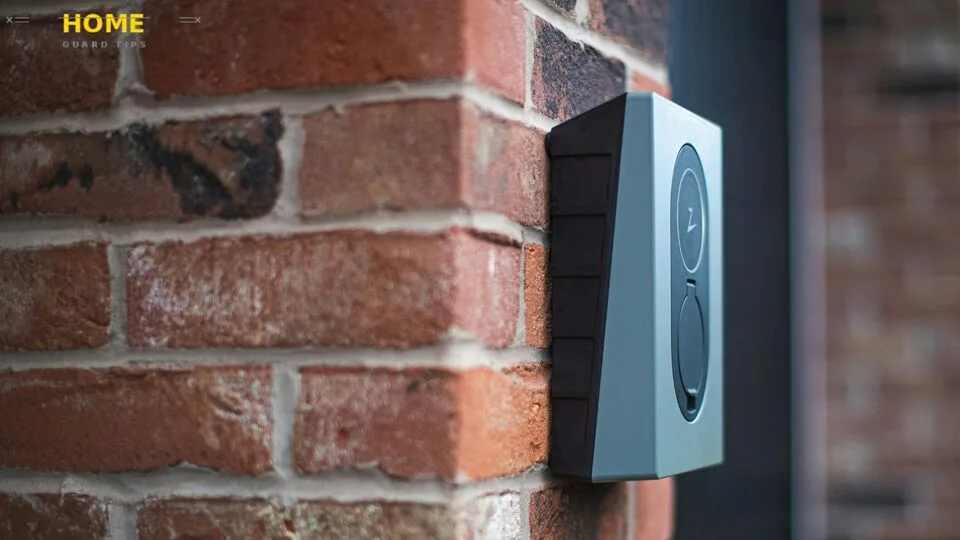
Most homeowners assume that if their phone buzzes with a security alert, their home is protected. It is not and that gap in thinking is exactly how break-ins happen. Understanding what is not a physical security measure for your home is just as important as knowing what is. The line between “this protects me” and “this just notifies me” is thinner than most people realize, and crossing it without knowing can leave your home genuinely exposed.
What Is a Physical Security Measure? (And What It Is Not)
When most people think about securing their home, they picture locks, cameras, and fences and they are right. But the problem starts when digital tools and behavioral habits get lumped into the same category. Understanding what truly counts as a physical security measure helps you stop filling gaps with the wrong tools and start building a defense that actually holds up.
Definition of Physical Security
Physical security refers to any tangible barrier, device, or system designed to prevent unauthorized access, deter intruders, or protect people and property from harm. These are the things you can see, touch, and physically interact with. Their primary job is to stop a threat at the point of entry before damage or loss occurs.
Here is what makes a measure truly “physical”: it works whether or not your internet is connected, your phone is charged, or your accounts are logged in. A deadbolt lock does not care if your Wi-Fi is down. A reinforced door does not need a software update to do its job. That independence from digital systems is the defining characteristic.
Physical vs. Non-Physical Security — Key Differences
The easiest way to understand this distinction is to ask one question: does this measure stop someone physically, or does it manage access digitally? A deadbolt stops an intruder. A password manager manages a digital credential. Both matter but only one is physical security.
Non-physical security measures, sometimes called logical security controls or administrative controls, operate in the digital and procedural world. They protect your data, your accounts, your smart devices, and your network. They do not block a door, stop a window from being smashed, or deter someone from stepping onto your property.
The confusion usually happens with hybrid systems. A smart lock, for example, has a physical deadbolt mechanism that part is physical security. But the keypad, the Wi-Fi connection, and the access code controlling it? Those are logical and digital controls. It is one device, two security layers. Getting this distinction right helps you stop treating digital tools as substitutes for physical ones.
Common Examples of Physical Security Measures for Homes
To set a clear baseline, physical security measures typically include: deadbolt locks, reinforced doors and door frames, security cameras (the hardware itself), motion sensors, alarm panels and sirens, perimeter fencing and gates, bollards, window bars or security film, motion-sensor lighting, and on-site security personnel.
These are your foundational physical defenses. Systems like CCTV cameras from brands such as Arlo or Ring provide the physical hardware layer the lens, the housing, the recorder. What happens with the footage after that, through an app or a cloud account, moves into digital territory.
What Is NOT a Physical Security Measure for Your Home?
Now here is where it gets important. The following are real security measures none of them should be skipped but none of them are physical security. Confusing them for physical protection is one of the most common and most costly mistakes homeowners make.
1. Mobile Security Apps and Remote Monitoring Software
That app on your phone controlling your alarm, your cameras, or your smart lock is not a physical security measure. It is a remote control and it is only as secure as the phone and credentials protecting it. If someone steals your phone or guesses your login, they could have full control over your home security system without ever stepping on your property.
From what we have seen, most people set up these apps once and never revisit their security settings. No PIN protection, no biometric lock on the app itself, sometimes not even a unique password. That is a significant vulnerability sitting in your pocket. Secure the app with two-factor authentication, enable biometric access, and log out of devices you no longer use.
2. Weak or Reused Passwords (Digital Access Control)
Password protection is critical, but it is digital security not physical. A strong, unique password protects your smart home devices, your alarm app, your Wi-Fi camera feed, and your cloud account. A weak or reused one? It potentially hands an attacker access to all of them at once. This is known as credential stuffing attackers use leaked username-password combinations from one breach to access accounts on other platforms.
Use a password manager to generate and store complex credentials for every device and account. Change default passwords immediately on any new device routers, cameras, smart locks, and doorbells all ship with factory default credentials that are publicly documented and widely exploited. In our experience, default credential exploits are one of the most underestimated smart home attack vectors out there.
3. Unsecured Wi-Fi Networks
Your Wi-Fi network is the backbone of every smart home device you own. It is not a physical barrier, but a compromised network gives an attacker digital access to everything connected to it cameras, smart locks, alarm systems, and more. Hackers do not need to set foot on your lawn if they can reach your router from down the street.
Start with the basics: use WPA3 encryption if your router supports it, or WPA2 as a minimum. Change your SSID to something generic not your name, address, or router brand. Set up a separate guest Wi-Fi network for visitors and IoT devices, keeping your main network cleaner and harder to penetrate. Home network segmentation is a simple step that meaningfully reduces your digital attack surface.
4. Skipping Firewall Configuration
A firewall whether on your home router or a dedicated device blocks unauthorized connection attempts from external sources. It is a digital perimeter, not a physical one, but ignoring it leaves your network open to network intrusion attempts that could compromise your entire smart home ecosystem.
Most home routers have a built-in firewall that is enabled by default, but many homeowners never verify this. Check your router settings, confirm the firewall is active, and if your router is more than five years old, consider an upgrade. Security tools like Bitdefender or Norton offer home network protection features that add another layer of endpoint security beyond the router itself.
5. Ignoring App Privacy and Permission Settings
Smart home apps routinely request access to your microphone, camera, location, and contacts. Most people tap “Allow” without a second thought. This is not physical security it is a digital permission layer and it is one of the most commonly ignored.
Review the permissions for every security-related app on your phone. Ask whether the app genuinely needs access to your microphone or location to function. Tightening these settings reduces your exposure to eavesdropping risks and surveillance hijacking, where a compromised app could potentially feed data to a third party without your knowledge.
6. Neglecting Cloud Account Protection
Many home security systems including those from SimpliSafe, Vivint, Ring, and Arlo sync their footage and settings to cloud accounts tied to platforms like Apple iCloud or Google. If your cloud account is breached, every device connected to it is potentially compromised. Cameras can be accessed remotely. Alarm settings can be changed. Smart locks can be unlocked all without anyone touching a single physical device.
Check whether your credentials have appeared in known data breaches using Have I Been Pwned, a free tool maintained by security researcher Troy Hunt. Enable two-factor authentication using apps like Authy or Google Authenticator avoid SMS-based 2FA where possible, as SIM-swapping attacks can bypass it. Dark web credential exposure is more common than most people expect, and it has real consequences for home security.
7. Failing to Enable Remote Wipe or Mobile Device Management
If your phone is lost or stolen and it has an active security app on it, that device could become a master key to your home. Mobile device management (MDM) features and remote wipe capabilities let you erase a device’s data and revoke its access before that happens.
Enable remote wipe through your phone’s built-in settings Find My on Apple devices, Find My Device on Android. For households managing multiple devices, especially in a family setting, this is a step that is easy to set up and rarely regretted. It is also worth ensuring that every family member with app access to your security system follows the same security hygiene standards.
8. Delaying Software and Firmware Updates
Delaying software updates is like leaving a known hole in your wall and deciding to patch it next month. Updates exist because vulnerabilities have been found and need to be closed. This applies to your phone, your security cameras, your router firmware, and any smart home hub using protocols like Z-Wave or Zigbee.
Research cited by cybersecurity organizations including CISA consistently shows that unpatched systems are among the leading causes of successful cyberattacks. Set your devices to update automatically where possible. For routers, check the manufacturer’s website periodically, as many do not push automatic firmware updates. This is not glamorous, but it is genuine security hardening that matters.
9. Disengaging from Neighborhood Watch or Community Alerts
A neighborhood watch program is one of the oldest and most effective forms of community-based security and it is entirely non-physical. It costs nothing, requires no hardware, and can catch suspicious activity before it becomes an incident. Yet most homeowners disengage from it after the first few months.
Neighbors are an extra set of eyes. They notice the unfamiliar van parked outside for two hours. They spot someone testing door handles down the street. Whether it is through a local neighborhood watch program, a community app, or even a WhatsApp group, staying connected to your community adds a real, human layer of protection. In our experience, this behavioral security habit is consistently undervalued by homeowners focused purely on gadgets.
10. Not Reviewing Surveillance Footage Regularly
CCTV cameras are physical security hardware. The act of reviewing the footage they capture? That is an administrative control and skipping it is a common gap. Cameras record. Humans (or AI systems) have to actually watch and act on what they record for that footage to translate into protection.
Set a habit of reviewing footage from key cameras at least weekly, or configure your system to push motion-triggered alerts in real time. Services from ADT or professionally monitored systems certified under the UL 2050 standard provide trained agents who review alerts and respond accordingly. If you are relying on cameras alone without any review process, you are essentially just collecting evidence after the fact not preventing anything.
Why Non-Physical Security Measures Are Just as Important
Here is the thing though physical barriers alone no longer tell the full story of home security. As smart devices take over our locks, cameras, and alarm systems, the digital layer has become just as critical as the deadbolt on your front door. A strong door means very little if the smart lock controlling it can be accessed remotely through a compromised account.
How Digital Vulnerabilities Compromise Physical Security
Here is what most people do not realize: your physical security is only as strong as the digital systems controlling it. A smart lock with a deadbolt is still a deadbolt until someone gains remote access to the app managing it. At that point, your strongest physical barrier has been bypassed without a single scratch on the door.
This is the core challenge of the modern smart home attack vector. As more physical security devices are controlled through software, the boundary between physical and digital security collapses. A compromised Google account can mean access to a Google Nest doorbell or smart lock. A hacked router can expose every device on your network to a man-in-the-middle attack, where traffic is intercepted without your knowledge.
Real-World Consequences of Ignoring Cyber-Side Gaps
In June 2025, a data breach exposed approximately 16 billion login credentials from major platforms including Apple, Google, and Facebook the same platforms that power most residential smart home systems. For homeowners who reused passwords or skipped two-factor authentication, that breach potentially compromised their camera feeds, alarm settings, and smart lock access. No one needed to break a window.
The FBI Internet Crime Complaint Center (IC3) consistently reports that cybercrime targeting smart home infrastructure is rising. The NIST Cybersecurity Framework and standards like ISO/IEC 27001, while designed for organizations, reflect principles directly applicable to home network security. The threat is real, documented, and growing and it bypasses every physical barrier you have installed.
The Case for a Layered Security Strategy
Look, we will be straight with you: no single measure physical or digital is enough on its own. A reinforced door means nothing if your smart lock is hacked. Strong passwords mean nothing if someone breaks a window. The only approach that holds up is a layered defense strategy that covers both physical controls and logical security controls simultaneously.
Think of it this way: physical security stops the body. Digital security stops the credential. Administrative controls your policies, habits, and procedures stop the gaps that hardware and software alone cannot cover. All three layers need to work together, and a weakness in any one of them is a weakness in all of them.
How to Integrate Physical and Non-Physical Security Measures
Knowing the difference between physical and non-physical security is only half the job. The real work is combining both into one coherent system that covers every angle — from your front gate to your cloud account. The five steps below give you a practical, actionable path to do exactly that.
Step 1: Audit Your Current Physical Security Setup
Start by walking through your home with fresh eyes. Check every external door for a deadbolt lock. Test whether windows lock securely. Look for motion-sensor lighting at entry points. Identify camera blind spots. This safety audit checklist approach sounds basic, but in our experience, most homeowners discover at least two or three overlooked vulnerabilities in their first honest walkthrough.
Document what you have, where the gaps are, and what needs upgrading. Physical security is the foundation if it is weak, no amount of digital layering fully compensates. Reinforce first, then build your digital layer on top of a solid base.
Step 2: Identify Your Digital Exposure Points
Once you know your physical setup, map your digital one. List every smart home device you own cameras, locks, doorbells, thermostats, voice assistants. For each one, ask: what account controls it, what network is it on, when was the firmware last updated, and what happens if that account is compromised?
This is your security gap analysis, a clear picture of where your unsecured IoT ecosystem might be creating exposure. Tools like your router’s connected devices list help here. If you find devices you forgot about, that is a problem. Unknown devices on your network are a risk.
Step 3: Harden Your Network and Device Security
With your exposure points mapped, start hardening. Change all default passwords immediately using a password manager. Enable two-factor authentication on every account connected to a home security device. Upgrade Wi-Fi encryption to WPA3 if available. Create a separate guest Wi-Fi network for IoT devices to contain any breach to that segment only.
Consider a VPN for your home network to encrypt traffic and add an additional layer of protection, particularly if you access your security systems remotely. NordVPN and ExpressVPN both offer home router-level options that cover all connected devices simultaneously. Activate your router’s firewall, enable automatic updates on all devices, and check for firmware updates manually on those that do not auto-update.
Step 4: Set Up Monitoring and Alert Systems
Monitoring bridges your physical and digital layers. Configure real-time alerts for any motion, alarm trigger, or unusual access attempt on your security apps. If you use a professionally monitored system ADT, SimpliSafe, or Vivint confirm that your monitoring plan includes response protocols and not just recording.
For self-monitoring setups, establish a simple emergency response protocol: who gets notified, in what order, and what action they take. This is an administrative control, but it is what makes the rest of your system actually respond to threats rather than just detect them. Security without response is just data collection.
Step 5: Review and Update Your Security Plan Regularly
Security is not a one-time setup. Threats evolve, devices age, and household circumstances change. Schedule a quarterly review check for software updates, audit app permissions, rotate passwords on critical accounts, and test whether your alarm system and cameras are still functioning correctly.
Family members who have access to security apps or alarm codes should be included in basic security awareness training. They are part of your security posture whether they know it or not. A strong system is only as strong as the habits of everyone using it and that takes regular reinforcement, not a single conversation.
FAQ’s
Is a high fence enough to secure your home?
A high perimeter fence is a solid physical security measure; it creates a boundary, deters opportunistic intruders, and slows down anyone attempting unauthorized access. But it is not sufficient on its own. A fence without lighting, cameras, or secured entry points leaves gaps that a determined intruder can exploit. Think of it as one layer in a broader physical security strategy, not a complete solution by itself.
Does a smart lock count as a physical or digital security measure?
A smart lock is genuinely both. The deadbolt mechanism, the door strike, and the physical hardware are physical security components they create the barrier. The keypad, biometric scanner, Wi-Fi connection, and access codes are logical security controls that manage digital access to that physical barrier. If the digital side is compromised, the physical side can be bypassed. Both layers need to be secured independently.
Is a security camera physical security but its app not?
Exactly right. The camera hardware, its housing, lens, sensor, and mounting is a physical security asset installed on your property. It acts as a visible deterrent and a recording device. The app used to view footage, receive alerts, or manage settings is a logical control operating in the digital layer. Securing one without securing the other leaves half the system exposed.
What are four examples of physical security measures for homes?
Four standard physical security measures are: a deadbolt lock on exterior doors, CCTV security cameras (the hardware itself), motion-sensor lighting at entry points, and perimeter fencing or gates. These are tangible, touch-and-see defenses whose primary function is to physically deter, detect, or delay unauthorized access to your property.
What is not an example of physical security?
Strong passwords, two-factor authentication, firewall configurations, mobile security apps, cloud account protection, software updates, and neighborhood watch programs are all non-physical security measures. They are critical parts of a complete home security strategy but they do not physically block entry, stop forced access, or deter someone standing at your front door.
If an alarm company calls the police, which type of security is that?
That process is an administrative or procedural control executed through a monitoring service. The alarm panel and sensors that triggered the alert are physical security hardware. The subscription service connecting those sensors to a monitoring team and the trained agents deciding to dispatch police is a service and procedural layer. It is the human response to a physical event, mediated by a digital system. All three layers are working together in that single moment.
Conclusion
Your home security is not just what you can see on the wall or touch at the front door. It is also the password protecting your camera feed, the firewall guarding your router, and the habit of actually reviewing your footage each week. What is not a physical security measure for your home is not unimportant, it is the layer that modern threats are increasingly targeting.
Honestly, this is what drives us crazy about how home security is marketed: physical hardware gets all the attention, while the digital and procedural gaps quietly grow. The most secure homes we have seen combine both layers of deliberately strong physical barriers and disciplined digital hygiene, reviewed regularly and updated honestly. That combination is harder to market than a flashy camera, but it is what actually keeps a home safe.
Start with your audit. Identify the gaps. Harden both layers. And then review it all again in three months because the threat landscape will not wait for you to get around to it.