
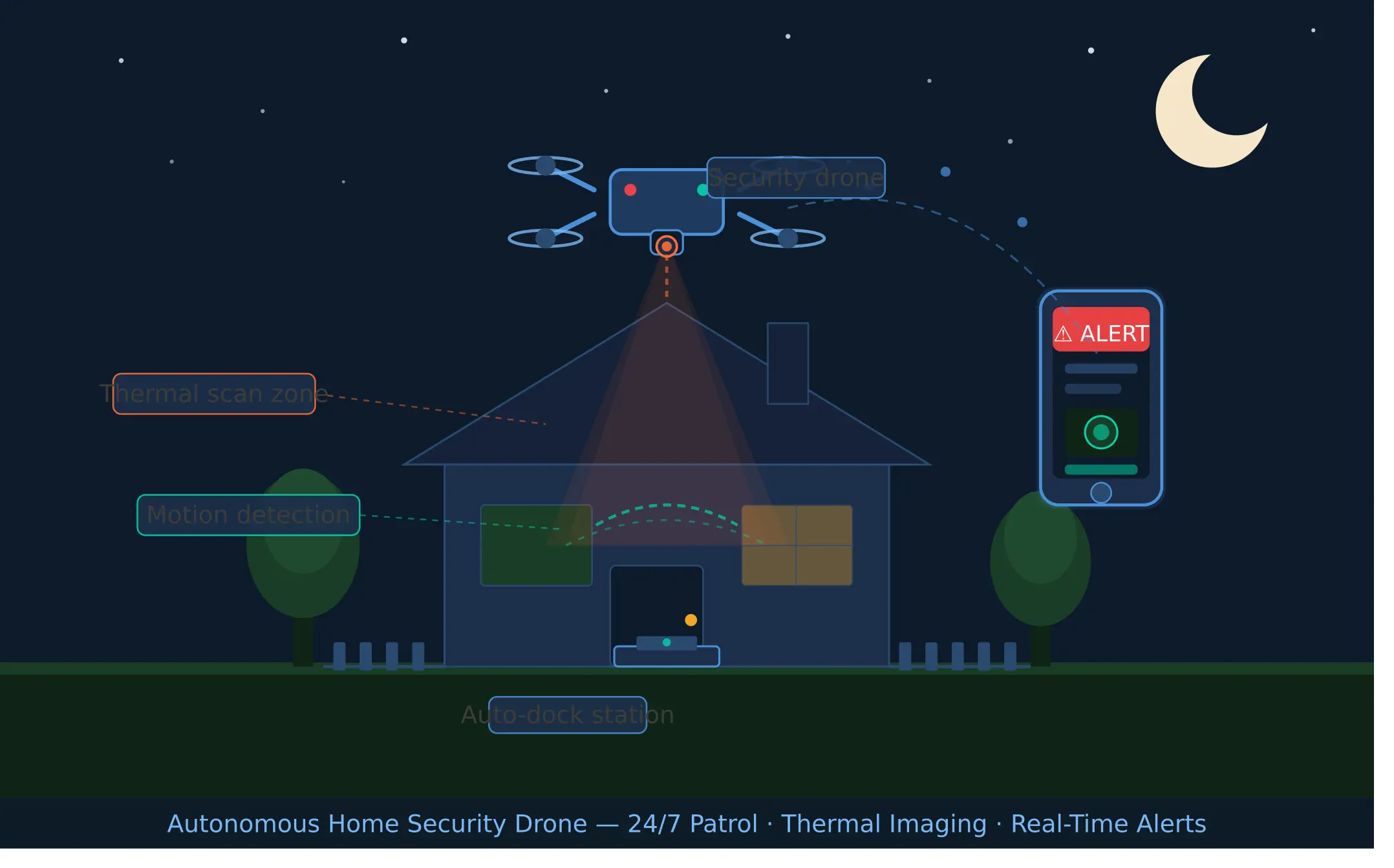
Your security camera caught the break-in three hours after it happened. That is the uncomfortable truth about traditional home surveillance. A fixed camera records. A security drone responds. If you have been wondering whether a drone for home security is the right move for your property, you are in the right place. This guide covers everything from how these systems actually work to what they cost, what the law allows, and which models are worth your money in 2026.
What Is a Home Security Drone and How Is It Different from a Security Camera?
A home security drone is an unmanned aerial vehicle designed specifically to monitor, patrol, and respond to activity around your property. Unlike a fixed camera mounted to your wall, it moves. It can fly to a specific location, track a subject, and give you a live aerial view of whatever is happening all from your phone.
Here is what most people do not realize: the biggest difference is not the camera quality. It is the coverage. A security camera has a fixed field of view. A drone can cover your entire property in under two minutes, approach a suspicious area from any angle, and even act as a visual deterrent just by being visible. That changes everything about how residential security works.
Think of a fixed camera as a witness and a security drone as a responder. Both have value, but they serve very different purposes. Most homeowners who take security seriously end up using both together cameras for constant passive recording, drones for active patrol and real-time threat assessment. A strong perimeter fence remains your first line of physical defense, while a drone adds active aerial coverage that no fence alone can provide.
How Do Home Security Drones Actually Work?
Modern home security drones are more capable than most people expect. They combine GPS navigation, AI-assisted surveillance, autonomous flight software, and high-resolution cameras into a single system that can operate with minimal human input. Once set up correctly, many of these systems run almost entirely on their own.
Flight Modes: Manual, Scheduled, and Autonomous Patrol
Most security drones offer three core flight modes. Manual mode puts you in full control via a controller or app. Scheduled mode lets you set patrol times say, every night at 11 PM and the drone flies a pre-mapped route automatically. Autonomous patrol goes further, using onboard sensors and AI to adjust the flight path based on detected activity.
In our experience, most homeowners start with scheduled patrols and then move to full autonomous flight once they are comfortable with the system. Platforms like FlytBase make this transition much easier by providing cloud-based drone management that handles automation, alerts, and remote operations from a single dashboard.
The drone stores its patrol route in memory and uses GPS navigation to follow it precisely, even in low-light conditions. If something triggers the motion detection mid-patrol, the drone can automatically divert to investigate.
Motion Detection and Threat Alerts
Intrusion detection on modern security drones is not just about movement. It is about intelligent movement recognition. The AI distinguishes between a person walking across your yard and a tree branch swaying in the wind. When a genuine threat is flagged, you get an immediate alert on your phone with a live video feed.
The speed of this response is what separates a drone security system from a standard camera setup. By the time a traditional camera has recorded and uploaded footage to the cloud, a security drone is already in the air and over the area in question.
Night Vision and Thermal Imaging Explained
Flying at night used to be a significant limitation for drones. That is no longer the case. Most serious home security drones include either standard night vision or full thermal imaging capability. Night vision works by amplifying available light. Thermal imaging detects heat signatures making it effective even in complete darkness or through light fog.
Thermal cameras like the FLIR Duo Pro R are popular in professional-grade setups because they detect body heat regardless of lighting conditions. This makes them far more reliable for detecting intruders at night than any standard camera. Some advanced models pair thermal with standard HD sensors for a clearer combined image, similar to the Zenmuse H30T payload used in commercial surveillance drones.
Live Video Streaming and Remote Monitoring
Real-time video streaming is one of the most useful features a security drone offers. You can watch live footage from your phone, tablet, or connected display from anywhere in the world. Most systems use 4G or 5G connectivity to maintain a stable feed even when the drone is beyond your home Wi-Fi range.
Situational awareness is the core benefit here. You are not waiting for a notification and then reviewing recorded footage. You are watching the situation develop in real time, which gives you the ability to call authorities with accurate, current information rather than a post-incident recording.
Return-to-Home and Auto-Docking Features
One feature that often gets overlooked is the return-to-home and auto-docking function. When the patrol is complete, the battery is low, or weather conditions deteriorate, the drone automatically returns to its charging dock. Systems like the DJI Dock 2 are designed specifically for this fully automated launch, patrol, and return cycles without any human intervention.
This matters more than it sounds. A drone sitting in a dock is always charged, always ready, and always protected from weather. Without auto-docking, you would need to manually retrieve, charge, and redeploy the drone every time which defeats the purpose of an autonomous system.
Why More Homeowners Are Switching to Drones for Security
The shift from fixed cameras to drone-based security is not a trend. It is a response to a real problem: traditional security systems are passive by nature, and passive does not protect you. It just documents what went wrong.
Coverage Area vs. Fixed Cameras
A standard home security camera covers a cone-shaped area of roughly 90 to 180 degrees. Mount three or four of them and you still have blind spots, especially around the sides of the property, behind vehicles, or in dense landscaping. A single security drone covers your entire property perimeter in a single flight no blind spots.
For larger properties especially, this coverage advantage is significant. A fixed camera system that eliminates all blind spots on a two-acre property would require dozens of cameras and serious infrastructure. A drone does the same job with one unit and a charging dock.
Active Deterrence vs. Passive Recording
Here is the thing though most burglars know cameras are watching. What they do not want is something actively following them. A drone hovering overhead with a live feed running changes the risk calculation entirely. Studies on deterrence in security consistently show that active, visible responses reduce opportunistic crime more effectively than passive recording.
A security camera sends a message: “You are being recorded.” A security drone sends a different message: “Someone is watching you right now.” That distinction matters a great deal to a potential intruder doing a risk assessment.
Real-Time Response Capability
When something triggers your security drone, it does not log the event and wait for you to review it in the morning. It launches, investigates, and streams footage immediately. This real-time response capability is the most important reason homeowners are making the switch.
From what we have seen, the response window is critical. Most break-ins are completed in under four minutes. If your security system only tells you about it after the fact, it is essentially useless as a deterrent. A drone that is airborne and streaming in under sixty seconds changes that entirely.
Home Security Drone vs. Traditional Security Camera System
Both systems have real strengths. The right choice depends on your property, your budget, and what you are actually trying to achieve.
24/7 Monitoring and Surveillance
Fixed cameras win on 24/7 continuous monitoring. They never need to land, recharge, or return to a dock. A well-positioned camera system with cloud storage provides an uninterrupted record of everything that happens on your property. Drones, by contrast, have flight time limitations that create natural gaps in coverage.
That said, many homeowners solve this by combining both. The cameras handle continuous passive recording while the drone handles active patrol and response.
Motion Detection
Both systems offer motion detection, but the quality differs significantly. Fixed cameras trigger on any movement within the frame, which leads to a high volume of false alerts cars, animals, shadows. AI-powered drones use more sophisticated sensor payloads to filter these out and focus on human-shaped movement patterns.
Night Vision
Standard cameras handle night vision reasonably well at close range. Drones with thermal imaging handle it far better, especially at distance or in challenging conditions. If night-time security is your primary concern, a drone with a thermal camera outperforms any fixed camera system.
Privacy Implications
This is where things get complicated, and we will be straight with you: drones raise more privacy concerns than cameras. A camera fixed on your property records your property. A drone can intentionally or not capture footage of neighboring yards, homes, and individuals. This creates both legal and social friction that fixed cameras simply do not.
Be prepared to have conversations with neighbors. Be prepared to restrict patrol zones to your property line. And be prepared for this to be an ongoing issue as drone use becomes more common in residential areas.
Regulations and Legal Rules
Fixed cameras on private property operate under relatively simple rules in most jurisdictions. Drones are regulated far more strictly by federal aviation authorities, local governments, and in some cases, homeowner associations. This layer of regulation adds complexity that a traditional camera system never has.
Security Vulnerabilities and Risks
Fixed cameras can be physically covered or spray-painted. Drones can be jammed, spoofed, or in theory physically intercepted. Security vulnerabilities exist on both sides. The difference is that drone vulnerabilities are newer and less well-understood, which means solutions are still catching up.
Signal interference and GPS spoofing are the most serious risks in residential drone security setups. Reputable systems use encrypted communication and redundant navigation to mitigate these, but they cannot eliminate them entirely.
Price and Ongoing Monthly Fees
Fixed cameras are significantly cheaper upfront. A solid four-camera system costs $300 to $800 installed. A capable home security drone system starts at around $1,500 and can reach $10,000 or more for professional-grade setups. Subscription costs for cloud storage, remote management platforms, and maintenance add to the ongoing cost.
The Role of AI and Autonomous Technology in Security Drones
Without AI, a security drone is just an expensive camera on a propeller. The intelligence layer is what makes these systems genuinely useful for residential security.
How AI Detects Intruders vs. False Triggers
AI-assisted surveillance works by training models on thousands of images to recognize human shapes, movement patterns, and behavior. When the drone’s camera detects something, the AI evaluates it against these patterns before sending an alert. This dramatically reduces false triggers compared to traditional motion sensors.
The result is a system that alerts you when there is a person in your yard not when a cat walks past or headlights sweep across the fence. In our experience, this reduction in false alerts is one of the most valued features among homeowners who switch to drone-based systems.
Machine Learning for Smarter Patrol Patterns
Over time, machine learning allows the drone’s patrol behavior to adapt. If activity consistently occurs in one area of the property at a specific time, the system adjusts patrol frequency accordingly. It learns what “normal” looks like for your property and flags deviations more accurately.
This is not science fiction it is already built into platforms like FlytBase and several enterprise-grade drone management systems. As these tools become more accessible, expect this capability to filter down into consumer products within the next few years.
Integration with Smart Home Systems (Alexa, Google Home, etc.)
Most modern security drones can integrate with existing smart home ecosystems. A motion alert from your drone can trigger your porch lights, lock your smart locks, and notify your phone simultaneously. This creates a layered security response that is more effective than any single system working in isolation.
Integration with Alexa or Google Home is typically handled through the drone manufacturer’s app. Setup is usually straightforward, though compatibility varies by brand. Confirm integration options before purchasing if smart home connectivity is important to you.
How to Choose the Right Security Drone for Your Home
Picking the right system involves more than comparing specs. It requires honest thinking about your property, your technical comfort level, and what you actually need the drone to do.
Flight Time and Battery Life
Flight time is one of the most important practical factors. Most consumer-grade security drones fly for 20 to 35 minutes on a full charge. Professional models like the Skyfront Perimeter 8 push this significantly further using hybrid power systems, but at a much higher price point. For most residential use cases, a drone with auto-docking and fast charging addresses the battery limitation more practically than chasing longer flight times.
Camera Quality: HD, 4K, and Thermal Options
For daytime patrol, 1080p HD is adequate. For detailed identification of faces or license plates, 4K is worth the upgrade. For night-time operations or infrared detection, you need a thermal camera ideally a dedicated unit rather than a sensor integrated into a standard camera. The Mavic 3 Thermal is a well-regarded example in the prosumer segment.
Indoor vs. Outdoor Use
Most home security drones are designed for outdoor use. Indoor security drones exist but are a different category entirely smaller, quieter, and typically used for monitoring specific rooms rather than patrolling a property. The Flyability Elios 3 is an example of an indoor-capable drone, though it is primarily designed for industrial inspection rather than residential security.
Noise Level Considerations
Honestly, this is what drives us crazy about how drone manufacturers market their products. Very few of them lead with noise levels, but noise is a significant issue for residential use. A drone hovering at 60 to 70 decibels at night in a quiet neighborhood is noticeable to you, to your neighbors, and potentially to the intruder you are trying to catch.
Quieter models exist but typically sacrifice flight time or payload capacity. Balance this trade-off honestly before buying.
Storage: Local vs. Cloud Recording
Local storage via SD card or onboard memory is private and has no ongoing cost, but it is vulnerable if someone steals the drone, they have the footage. Cloud storage solves the security problem but adds a subscription fee and raises questions about who else can access your video. Most serious users use both: local as primary, cloud as backup.
App Control and Ease of Use
The app experience varies enormously between drone brands. Before committing to a system, watch real-world demos of the app in use not manufacturer videos, but user-created content. Pay attention to how the automation setup works, how alerts are delivered, and how easy it is to review historical footage.
Best Drones for Home Security in 2026
The market has matured significantly. These are the categories worth considering based on real-world performance rather than spec sheets.
Best Overall Home Security Drone
For most homeowners who want a capable, well-supported system without enterprise complexity, the DJI Matrice series paired with the DJI Dock 2 is the most complete package currently available. It handles autonomous patrol, auto-docking, and integrates cleanly with third-party management platforms like FlytBase. It is not cheap, but it is genuinely reliable.
Best Budget Option
In the $500 to $1,000 range, options are more limited for true autonomous security use. Most drones in this price range require manual operation or have limited automation features. If budget is the primary constraint, a hybrid approach basic drone plus strong fixed camera system often delivers better security value than a cheap drone alone.
Best for Large Properties
Large properties need long flight time, wide sensor coverage, and reliable autonomous patrol. The JOUAV CW-25E and CW-30E are strong performers in this category, offering extended endurance and robust GPS navigation designed for perimeter security at scale. These are commercial-grade tools, and the price reflects that.
Best with Thermal Camera
If night-time detection is your priority, look for a system that pairs a quality thermal sensor with a reliable flight platform. The FLIR Duo Pro R remains one of the most respected thermal camera options available for drone integration. Combined with a capable autonomous flight platform, it delivers genuine night-time situational awareness that no standard camera system can match.
Best Fully Autonomous Option
Full autonomy means launch, patrol, dock, charge, and repeat with no human input required between cycles. The DJI Dock 2 system is currently the most accessible autonomous setup for serious residential use. Enterprise platforms from JOUAV offer similar capability at larger scale, but the DJI ecosystem is better supported for non-commercial applications.
How Much Does a Home Security Drone Cost?
Understanding the real cost of a drone security system means looking beyond the sticker price of the drone itself.
Entry-Level ($200–$800)
At this price point, you are typically getting a manually operated consumer drone with a decent camera. These are not designed for security use out of the box they lack auto-docking, automated patrol, and serious night-vision capability. They can serve as a supplemental tool but should not be your primary security system.
Mid-Range ($800–$3,000)
This is where the first genuinely capable security drones live. You will find semi-autonomous systems, better camera quality, and some degree of automation. Setup is more complex than a consumer drone, and you will likely need a compatible docking station as an additional purchase. Expect the complete functional setup to sit at the top of this range.
Professional-Grade ($3,000 and above)
Professional-grade drone security systems are serious investments. At this level you get full autonomy, enterprise-grade sensors, thermal imaging, 4G/5G connectivity, and robust software platforms. These are the systems used by law enforcement and infrastructure monitoring teams. For residential use, they represent significant overkill for most people but for high-value properties or large estates, the investment makes sense.
Subscription and Maintenance Costs to Expect
Budget for ongoing costs beyond the hardware. Cloud storage typically runs $10 to $50 per month depending on capacity and retention period. Remote management platforms like FlytBase have their own subscription tiers. Drone maintenance propeller replacement, battery replacement every one to two years, firmware updates adds another few hundred dollars annually. Factor all of this in before deciding what you can afford.
Laws and Regulations for Flying Security Drones at Home
This section is not optional reading. Flying a drone even on your own property without understanding the rules is a genuine legal risk.
FAA Rules for Residential Drone Use (USA)
In the United States, the FAA regulates all drone flights, including those over private residential property. Drones weighing more than 250 grams must be registered. Flying at night requires specific lighting and, in some cases, a waiver. Flying in controlled airspace near airports requires prior authorization through the FAA’s LAANC system.
The recreational vs. commercial distinction matters. Using a drone to protect your own home is generally considered recreational, which carries fewer restrictions than commercial operations. That said, regulations are evolving quickly, and what applies today may change within the next year or two.
No-Fly Zones and Neighbor Privacy Laws
Even over your own property, there are restrictions. Certain areas near airports, military installations, national parks, and some urban centers are restricted or prohibited airspace. Apps like B4UFLY provide real-time no-fly zone mapping that every drone operator should have installed.
Privacy laws vary significantly by state. Some states prohibit aerial surveillance of private property without consent, even by the property owner in a context that incidentally captures neighboring land. Know your state’s specific laws before setting up any patrol patterns.
What You Are and Are Not Allowed to Record
Recording activity on your own property is generally permitted. Recording onto neighboring properties even incidentally can create legal liability in jurisdictions with strong privacy protections. Avoid patrol patterns that regularly fly near property lines where your camera would capture a neighbor’s home, yard, or people.
It is worth consulting a local attorney before setting up a residential drone security system, especially if you live in a densely populated area. The cost of an hour of legal advice is minor compared to the potential liability of getting this wrong.
Setting Up a Drone Security System at Home: Step-by-Step
Getting this right from the beginning saves significant frustration later. Rushed setups lead to coverage gaps, false alerts, and systems that do not actually protect you.
Mapping Your Property for Patrol Zones
Start by walking your property and identifying the highest-risk areas: entry points, blind spots from fixed cameras, and areas with limited natural lighting. Then use your drone’s companion app or a dedicated platform like FlytBase to map a patrol route that prioritizes these zones.
Define geo-fences that keep the drone within your property boundary. Most professional platforms allow you to draw these boundaries directly on a satellite map. This both protects your neighbors’ privacy and prevents the drone from drifting into restricted airspace.
Connecting Your Drone to Your Security Network
Your drone needs to connect to your home network for app control, alert delivery, and cloud storage sync. Most systems use 4G/5G as a primary connection rather than Wi-Fi, which is smarter Wi-Fi range limitations would restrict where the drone can operate. Configure the connection through the manufacturer’s app and test it with the drone at the farthest point of your patrol route.
If you are integrating with a smart home platform, set up those connections now before you start testing patrol patterns. Getting the integration right early means alerts and automated responses work from the first real patrol.
Setting Up Motion Alerts and Auto-Launch Triggers
Define what should trigger an automatic drone launch. Most systems allow you to link the drone to your existing motion sensors or cameras when a fixed camera detects motion, the drone automatically launches and flies to that zone. This creates a genuinely layered security response that neither system could achieve alone.
Set alert thresholds carefully. If sensitivity is too high, you will get dozens of notifications per night and stop paying attention to them. If it is too low, you will miss real threats. Most systems require a few days of calibration before the alert volume feels right.
Testing Your System Before Going Live
Run at least three complete test cycles before you rely on the system for real security. Walk the patrol route on foot while the drone flies it and check for gaps in camera coverage. Trigger the motion detection manually and confirm alert delivery time. Test the auto-dock and confirm the drone recharges correctly between cycles.
Document any issues during testing and address them before calling the system active. A security system you have not tested is a security system you cannot trust.Limitations of Home Security Drones You Should Know
We believe strongly in giving you the honest picture, not just the marketing version. These limitations are real, and they matter.
Weather Restrictions
Drones do not fly well in rain, strong wind, or heavy fog. Most consumer and prosumer models have a maximum wind resistance of 10 to 12 meters per second roughly 22 to 27 mph. Beyond that, the drone cannot maintain stable flight and returns to dock automatically. This means your security coverage has weather-dependent gaps that your fixed camera system does not.
If you live in an area with frequent adverse weather, build your security plan around this limitation. Do not assume the drone will always be available.
Battery and Downtime Gaps
Even with auto-docking and fast charging, there are coverage gaps when the drone is on the dock. Most systems charge in 30 to 90 minutes depending on battery size. During that window, the drone is not in the air. If you need truly continuous aerial coverage, you need either multiple drones rotating shifts or a hybrid gas-electric system like the Skyfront Perimeter 8 and both options significantly increase cost.
Noise and Neighbor Concerns
Between you and me, the social dimension of residential drone security is underestimated. Neighbors who hear a drone patrolling at midnight will have questions and potentially complaints. Some will find it intrusive. Some may contact local authorities. Managing these relationships before problems arise is as important as the technical setup.
Talk to your neighbors before launching. Explain what you are doing and why. Most reasonable people understand home security concerns. What they do not appreciate is being surprised by a drone hovering near their fence at 2 AM with no prior warning.
Hacking and Signal Interference Risks
No wireless system is completely immune to interference or hacking. Consumer drones using standard radio frequencies can be disrupted by signal jammers devices that are themselves illegal in most jurisdictions but not difficult to obtain. More sophisticated GPS spoofing attacks can cause a drone to navigate incorrectly or lose position lock.
Professional systems address these risks with encrypted OcuSync Enterprise communication, redundant GPS, and SLAM navigation systems that do not rely solely on external GPS signals. If security is truly critical, invest in a system with these protections rather than a consumer platform that relies entirely on unencrypted radio links.
FAQ’s
Can a security drone replace traditional security cameras?
Not entirely, and we would not recommend trying. Drones and fixed cameras serve different functions. Cameras provide continuous, uninterrupted coverage. Drones provide mobile, active response capability. The strongest residential security setup uses both together each covering what the other cannot.
How long can a home security drone fly on one charge?
Most consumer-grade security drones fly for 20 to 35 minutes per charge. Professional models with hybrid power systems can extend this significantly. With auto-docking, most residential systems cycle between flight and charging throughout the night, providing regular patrol intervals rather than continuous airtime.
Do home security drones work at night?
Yes, effectively but the quality depends heavily on the camera system. Drones with standard night vision perform adequately in areas with some ambient light. Drones with dedicated thermal cameras like the FLIR Duo Pro R perform well even in complete darkness, detecting heat signatures regardless of lighting conditions.
Is it legal to fly a security drone over my own property?
In most US jurisdictions, yes with conditions. The drone must be registered if it weighs over 250 grams, you must follow FAA altitude limits, and you must avoid controlled airspace. State-specific privacy laws may add further restrictions. Always check local regulations before setting up a residential drone security system.
Can my neighbor’s drone spy on my home legally?
This is genuinely complicated. Airspace above private property is not owned by the property owner it belongs to the public above a certain height. Drones flying at low altitude over or near your property occupy a legal gray area that courts are still actively working through. In practice, intentional surveillance of a neighbor’s property is generally illegal under existing privacy and stalking laws. Incidental capture of neighboring property during a normal patrol is murkier. If you suspect deliberate surveillance, document it and consult a local attorney.
What happens if my security drone crashes or gets stolen?
This depends on your insurance coverage. Standard homeowner’s insurance typically does not cover drone loss or damage. Dedicated drone insurance policies are available from several providers and are worth considering for any system above $1,000 in value. Additionally, many systems store footage in the cloud so even if the drone is lost or destroyed, the recorded footage is preserved.
Are home security drones worth the cost?
It depends on your situation. For a standard suburban home with a modest property, a well-designed fixed camera system is probably more cost-effective and easier to manage. For larger properties, high-value homes, or situations where active deterrence and real-time response are priorities, a drone security system delivers capabilities no fixed camera can match. The honest answer is: it depends on what you are actually trying to protect and what you are willing to invest.
Do I need a license to operate a security drone at home?
For recreational use on your own property, the FAA does not currently require a pilot’s license only drone registration for models over 250 grams. If you are operating the drone commercially (even incidentally), a Part 107 Remote Pilot Certificate is required. Night operations, flights over people, and flights in controlled airspace all have additional requirements that may apply depending on your situation. Check the FAA’s current guidelines directly, as these rules have been updated multiple times in recent years and will likely continue to evolve.